Search in Classifieds
Search in Groups
Search in Polls
Search in Members
Search in Members
Search in News
Search in Polls
Search in Businesses
Search in Contests
Search in Events
Search in Music Albums
Search in Music Songs
Search in Quotes
Search in Site Team
Search in Jobs
Search in Products
Search in Products
4 minutes, 52 seconds
-162 Views 0 Comments 0 Likes 0 Reviews
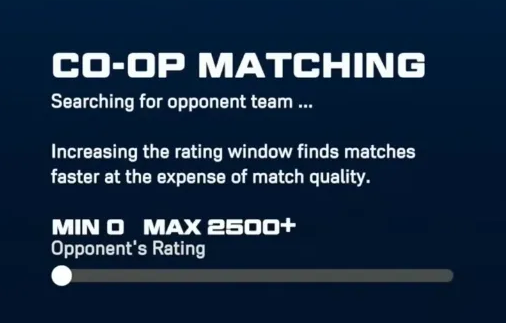
There is nothing more frustrating than gathering your squad for some 3v3 Co-Op action in MLB The Show 26, only to get hit with endless matchmaking queues, sudden lobby disconnections, or straight-up game crashes before you even throw a single pitch. If you and your friends are stuck looking at the "no opponent found" screen or getting kicked back to the main menu during the draft phase, you are definitely not alone.
The good news is that these multiplayer headaches usually boil down to a few specific culprits: hardware display conflicts, out-of-sync game versions, or temporary server hiccups. Before you throw your controller, go through these practical, player-tested fixes to get your squad back on the diamond.
It sounds strange, but high refresh rate settings are currently one of the main reasons multiplayer lobbies freeze up or disconnect immediately. MLB The Show's online netcode can occasionally clash with console-level 120Hz output, causing a breakdown right when the game tries to pair you with an opponent.
Completely close MLB The Show 26.
Go to your console's system Settings menu.
Navigate to Screen and Video on PlayStation 5, or Display settings on Xbox.
Find the Enable 120Hz Output toggle.
Switch it from Automatic to Off.
Relaunch the game and try entering the 3v3 lobby again.
Because San Diego Studio pushes out hotfixes and live content updates frequently, it is incredibly easy for your game version to fall out of sync. If your console missed an update in the background, matchmaking will fail instantly because the servers reject older client builds.
Close the game app entirely so it is not running in standby mode.
Highlight the MLB The Show 26 icon on your console home screen.
Press the Options or Menu button on your controller.
Select Check for Update.
Let any pending patches download and install completely before launching your next session.
Sometimes the issue is not your hardware, but a glitched online lobby session. If your group has been sitting in a queue for more than a few minutes without finding a match, the lobby itself might be stuck. The classic fix here is to pass the crown. Disband the current squad entirely, have a different friend create the party from scratch, and send out fresh invites. Rotating the host forces the game to establish a clean connection to the matchmaking servers.
The 3v3 Co-Op mode in MLB The Show is notorious for its sensitivity to packet loss. Wi-Fi connections, even fast ones, suffer from brief micro-drops that the game's netcode cannot handle well. This instability is a major trigger for early-inning freezes and sudden kicks during the draft screen. If possible, plug an Ethernet cable directly into your console. If you must stay on Wi-Fi, ensure no one else on your home network is running heavy downloads while you play.
If you are playing late at night or early in the morning and everything suddenly stops working, you might be hitting routine backend updates. San Diego Studio regularly performs server maintenance and updates live content around 4:00 AM PT / 7:00 AM ET. Online matchmaking is usually taken offline during these windows.
Still unable to get a game going after trying all these steps? The servers themselves might be having a wider outage. Take a quick break and check the official MLB The Show Server Status at theshow.com to ensure everything is green across the board.
We are a close community to help to meet and greet new people.
We are a secure community with 5000+ active members who help you with your queries, post new updates and grow your network.

Share this page with your family and friends.