Search in Classifieds
Search in Groups
Search in Polls
Search in Members
Search in Members
Search in News
Search in Polls
Search in Businesses
Search in Contests
Search in Events
Search in Music Albums
Search in Music Songs
Search in Quotes
Search in Site Team
Search in Jobs
Search in Products
Search in Products
6 minutes, 27 seconds
-69 Views 0 Comments 0 Likes 0 Reviews
Downloading videos from the web can be helpful when you want to view content at a later time without the need of an internet connection. But picking the right file format can be confusing sometimes. Different formats have different levels of quality, compatibility, and file size.
Knowing these formats can help you decide which is best for your phone, computer, tablet or TV. In this guide, we will describe the most common formats that a YouTube downloader supports and how to choose the best one for your needs.
Video format is a way of storing digital video and audio in a file. Formats control how a video is stored, played, and transferred between different devices.
Some formats are intended to be widely compatible, while others can provide better compression or quality. Depending on the device you plan to use and the way you want to watch the video, you should choose accordingly.
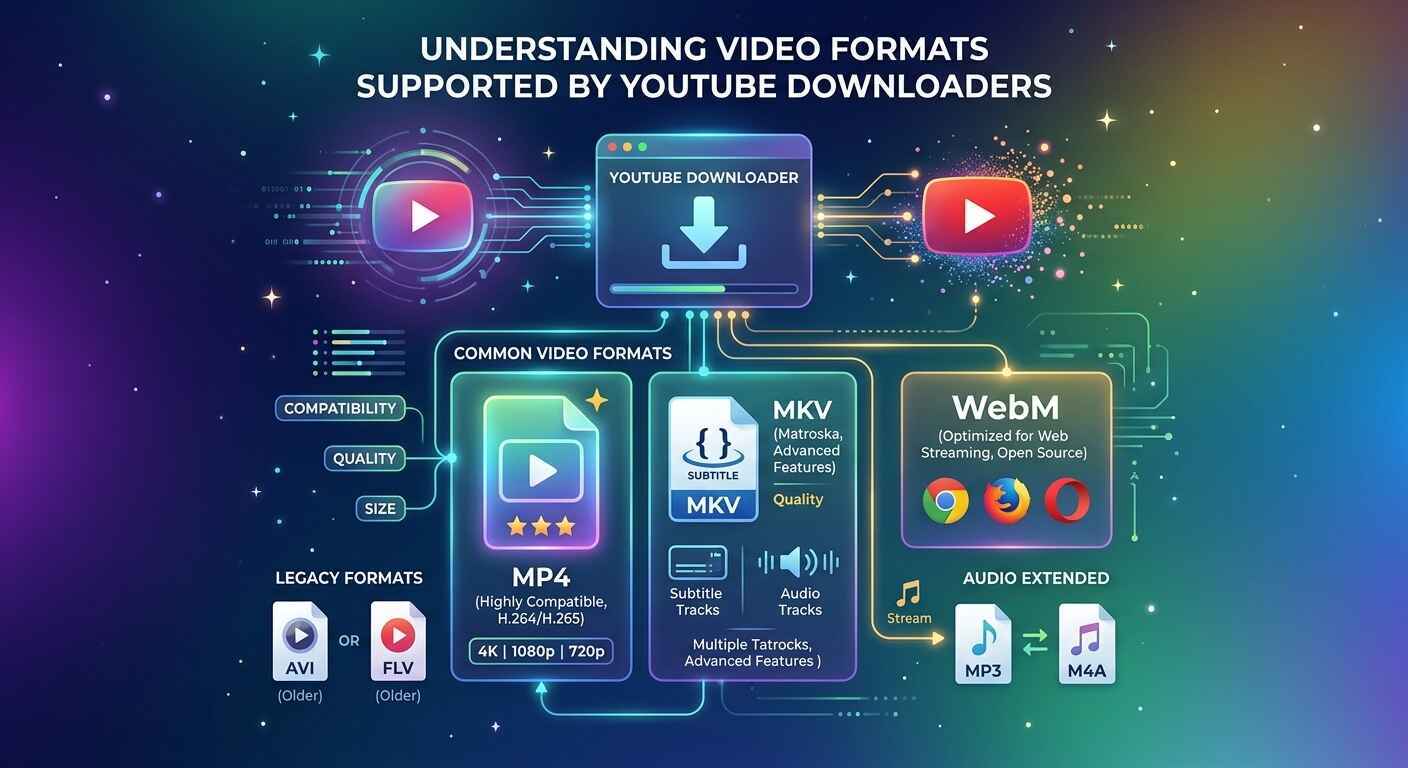
MP4 is one of the most widely supported video formats. It works with most smartphones, computers, tablets, smart TVs, and media players.
The main advantage of MP4 is its balance between quality and file size. If you want a video that is easy to play on different devices, MP4 is often a practical choice.
This is why many people search for a YouTube to MP4 option when they want to save videos for offline viewing.
WebM is another format commonly associated with online video. It is designed for efficient web playback and can offer good quality while keeping file sizes manageable.
However, WebM may not be supported by every device or media player. If your device does not play WebM files, you may need a compatible media player or another format.
MKV, or Matroska Video, is a flexible container that can hold video, audio, subtitles, and other information in one file.
It is popular among users who want more control over their media files. However, compatibility can vary between devices, so it is important to check whether your preferred player supports MKV.
Video format and video quality are not the same thing.
The format describes how the media is packaged, while quality is influenced by factors such as resolution, bitrate, and the quality of the original video.
For example, two MP4 files can have very different quality levels. One might be 480p, while another could be 1080p or higher.
Therefore, choosing a format is only one part of getting a good-quality download.
Choosing the right format depends on how you plan to use the downloaded file.
MP4 is usually a convenient choice because it is widely compatible and offers a good balance between quality and storage requirements.
Computers can support many different video formats. If your media player supports WebM or MKV, you may have more flexibility when selecting a file.
Check your TV's supported formats before downloading. MP4 is often a convenient option, but compatibility can differ between TV models.
Before using a downloader, look at more than just the file extension.
Higher resolution generally produces sharper images. Common options include 480p, 720p, 1080p, and higher resolutions when available.
Higher-quality videos usually require more storage. If your device has limited space, choosing a moderate resolution can help.
A video with clear visuals should also have good audio. Check whether the downloader provides suitable audio quality options.
Always consider where you will watch the file. A format that works well on a computer may not work on an older phone or television.
The right choice of format can save you time and storage space. It can also resolve playback issues after download.
For most people who just use their computers for everyday stuff, a widely compatible format like mp4 is a no brainer. More sophisticated users might prefer WebM or MKV, assuming their devices and media players support these formats.
Knowledge of video formats helps you decide which download mode to choose. Overall, MP4 is popular because it has wide compatibility. WebM and MKV can be useful for particular devices and purposes. When using a YouTube downloader, take into consideration resolution, file size, audio quality, and device compatibility. If you want a file that will play on many common devices, a YouTube to MP4 option can be useful. Make sure to respect copyright laws and the terms of the platform when saving online videos.
We are a close community to help to meet and greet new people.
We are a secure community with 5000+ active members who help you with your queries, post new updates and grow your network.

Share this page with your family and friends.