Setting up IPTV can seem complicated when unfamiliar terms such as M3U playlists, server URLs, usernames, passwords, and Xtream Codes appear during installation. In practice, these are simply different methods that compatible IPTV applications can use to connect to a service.
For viewers in Finland, understanding these login methods can make it easier to select a suitable IPTV player, configure a Smart TV or streaming device, and troubleshoot connection problems.
This guide explains how M3U and Xtream-based setups work, where they are commonly used, and what users should consider before choosing an IPTV application.
What Is an IPTV Playlist?
An IPTV playlist provides a compatible player with information about available streams.
Unlike traditional television, where channels are delivered directly through cable, satellite, or terrestrial broadcasting, IPTV applications retrieve streams through an internet connection.
The IPTV application usually needs connection information before it can display available content.
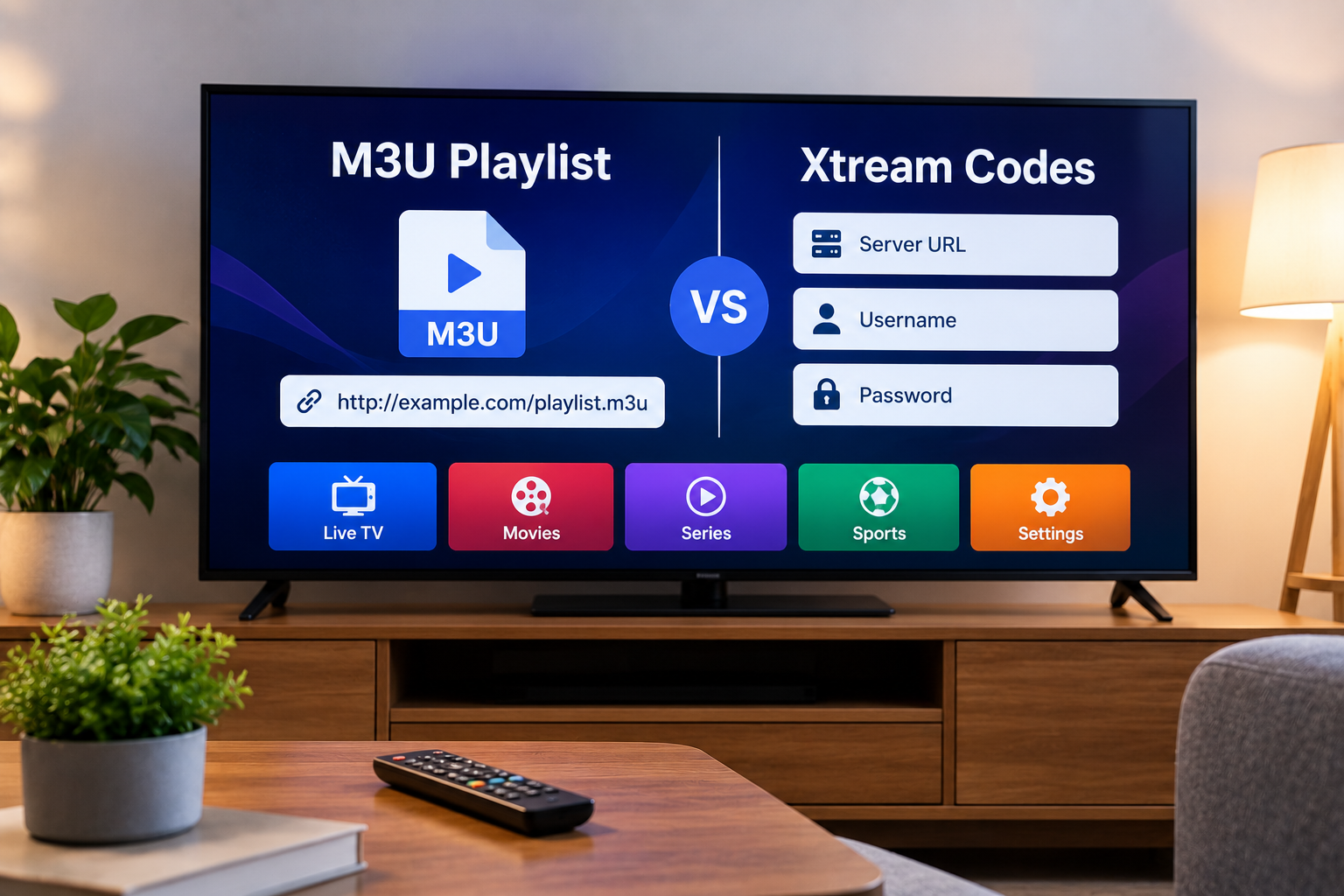
Two commonly supported methods are:
The available method depends on the service and application being used.
What Is an M3U Playlist?
M3U is a playlist format used by many media applications.
For IPTV, an M3U playlist may contain links and information that allow a compatible player to organize available streams.
Users are commonly provided with an M3U URL rather than downloading a file manually.
The URL is then added to an IPTV application.
How M3U Setup Usually Works
Although the exact steps vary between applications, the general process is straightforward.
First, install a compatible IPTV player.
Next, find the option for adding a playlist or M3U URL.
Enter the playlist address provided by the IPTV service and allow the application to load the available information.
After the playlist has been processed, the player may organize content into different categories.
Advantages of M3U Playlists
One advantage of M3U is broad compatibility.
Many IPTV and general media applications can read this format, making it useful across different devices.
An M3U playlist may work with:
-
Smart TVs
-
Android TV
-
Google TV
-
Computers
-
Smartphones
-
Tablets
-
Compatible media players
However, compatibility depends on the individual application rather than the device alone.
Limitations of M3U Setup
M3U URLs can sometimes be long and difficult to enter manually.
Typing a lengthy address with a television remote is inconvenient and increases the chance of entering something incorrectly.
Some IPTV applications solve this problem by providing a companion website or device code that allows users to add playlists from a phone or computer.
Users should also protect M3U URLs because they may contain information connected to their subscription.
What Are Xtream Codes?
The term Xtream Codes is commonly used to describe another IPTV login method.
Instead of entering one long playlist URL, users may receive separate details such as:
-
Server or portal address
-
Username
-
Password
A compatible IPTV player uses this information to connect to the service.
For many users, this approach is easier to configure because each piece of information is entered into a clearly labeled field.
How Xtream Login Works
The installation process differs between applications, but it normally starts by selecting an option such as "Xtream Codes," "Login with API," or a similarly named connection method.
The user then enters the required server address, username, and password.
If the details are accepted, the application retrieves the information available through the account.
Some players may automatically organize live television, movies, series, and programme information when those features are provided.
M3U vs Xtream Codes
Neither method is automatically better for every user.
The most suitable option depends on the IPTV player, device, and service configuration.
M3U May Be Useful When
M3U can be convenient when you want broad compatibility with different media players.
It may also be useful for applications that primarily work with playlist URLs.
Xtream Login May Be Easier When
Xtream-style login details can be easier to type and manage, especially on televisions.
Separate username and password fields may also make the setup process more understandable for users who are unfamiliar with playlist URLs.
For people comparing IPTV setup options for Finland, Nordic One IPTV provides information related to IPTV services, supported devices, installation methods, and viewing across different platforms.
Choose an IPTV Player Based on Compatibility
Before installing an IPTV player, check which login formats it supports.
Some applications support both M3U and Xtream-based logins, while others may only support one method.
Choosing an application that directly supports the credentials supplied by your service reduces unnecessary configuration work.
Other useful features to consider include:
A simple interface can be more valuable than a large number of features that you never use.
Setting Up IPTV on a Smart TV
Smart TV installation depends on the operating system.
Samsung televisions commonly use Tizen, while LG televisions generally use webOS. Android TV and Google TV devices use Google's television platform.
Application availability varies between these systems.
Before subscribing to a service or purchasing an IPTV player, check that the application you plan to use is available for your specific television model.
IPTV on Android TV
Android TV and Google TV devices generally offer access to a wide selection of streaming applications.
Many IPTV players on these platforms support both M3U playlists and username-based login methods.
This flexibility can make Android-based devices useful for households that may change players later.
IPTV on Apple TV and iPhone
Apple TV, iPhone, and iPad users can also find IPTV players through Apple's App Store.
The setup procedure depends on the application.
Some players allow credentials to be entered directly on the device, while others use synchronization or account-based management.
Check the application's documentation before assuming that a particular login format is supported.
IPTV on Windows and Mac
Computers provide another flexible way to access compatible IPTV services.
Some users prefer desktop applications because entering long URLs and managing playlists is easier with a keyboard.
Computers can also be useful for troubleshooting.
For example, if the same credentials work on a computer but not on a Smart TV, the problem may be related to the television application rather than the account itself.
Why EPG Support Matters
An Electronic Programme Guide provides scheduling information for television channels.
A well-configured EPG can show:
-
Current programmes
-
Upcoming programmes
-
Start and end times
-
Channel schedules
EPG availability depends on the IPTV service and the player.
If channels work correctly but programme information does not appear, the issue may be related to EPG configuration rather than the playlist itself.
Common IPTV Login Problems
Several simple mistakes can prevent an IPTV player from connecting successfully.
Incorrect Server Address
A missing letter, extra space, or typing error can prevent the application from reaching the correct server.
Copy and paste the address when possible.
Wrong Username or Password
IPTV credentials can be case-sensitive.
Check uppercase letters, lowercase letters, numbers, and special characters carefully.
Expired Account Information
If credentials previously worked but suddenly stop, check the account status before changing application settings.
Unsupported Login Method
An application designed only for M3U playlists may not accept Xtream-style details directly.
Likewise, an app that expects separate login credentials may require a different setup procedure for M3U.
Protect Your IPTV Credentials
Treat IPTV login details as private account information.
Avoid posting playlist URLs, usernames, or passwords publicly.
Credentials should only be entered into applications you trust.
It is also sensible to install IPTV players from official application stores whenever possible and keep them updated.
Internet Quality Still Matters
Correct login details do not guarantee smooth streaming.
The quality of an IPTV experience also depends on:
-
Internet stability
-
Wi-Fi signal strength
-
Streaming device performance
-
Available bandwidth
-
Application compatibility
-
The quality of the stream source
If channels load correctly but frequently buffer, troubleshoot the internet connection separately from the login configuration.
Testing Ethernet instead of Wi-Fi can help determine whether the wireless network is causing the problem.
Use the Setup Method Provided by Your Service
It can be tempting to convert credentials from one format to another or follow unrelated online tutorials.
In most cases, the simplest approach is to use the login method recommended by the IPTV provider.
This reduces configuration errors and makes troubleshooting easier.
If the provider supplies both M3U and Xtream-style credentials, choose the method that works best with your preferred IPTV application.
Final Thoughts
M3U playlists and Xtream-style logins are two common ways of connecting an IPTV player to a service.
M3U offers broad compatibility and works with many media applications, while username-based login methods can provide a simpler setup experience on televisions and streaming devices.
The best option depends on your device, IPTV player, and the credentials supplied by the service.
Before configuring IPTV, confirm application compatibility, enter the connection details carefully, protect account information, and make sure the home network is stable. Understanding these basic setup methods can make IPTV installation easier to manage across Smart TVs, Android devices, Apple products, and computers.


 Search in Classifieds
 Search in Groups
 Search in Polls
 Search in Members
 Search in Members
 Search in News
 Search in Businesses
 Search in Contests
 Search in Events
 Search in Music Albums
 Search in Music Songs
 Search in Quotes
 Search in Site Team



Share this page with your family and friends.