Search in Classifieds
Search in Groups
Search in Polls
Search in Members
Search in Members
Search in News
Search in Polls
Search in Businesses
Search in Contests
Search in Events
Search in Music Albums
Search in Music Songs
Search in Quotes
Search in Site Team
Search in Jobs
Search in Products
Search in Products
7 minutes, 7 seconds
-67 Views 0 Comments 0 Likes 0 Reviews
Choosing the right external storage device can be confusing, especially when both traditional hard disk drives (HDDs) and solid-state drives (SSDs) are available in large capacities.
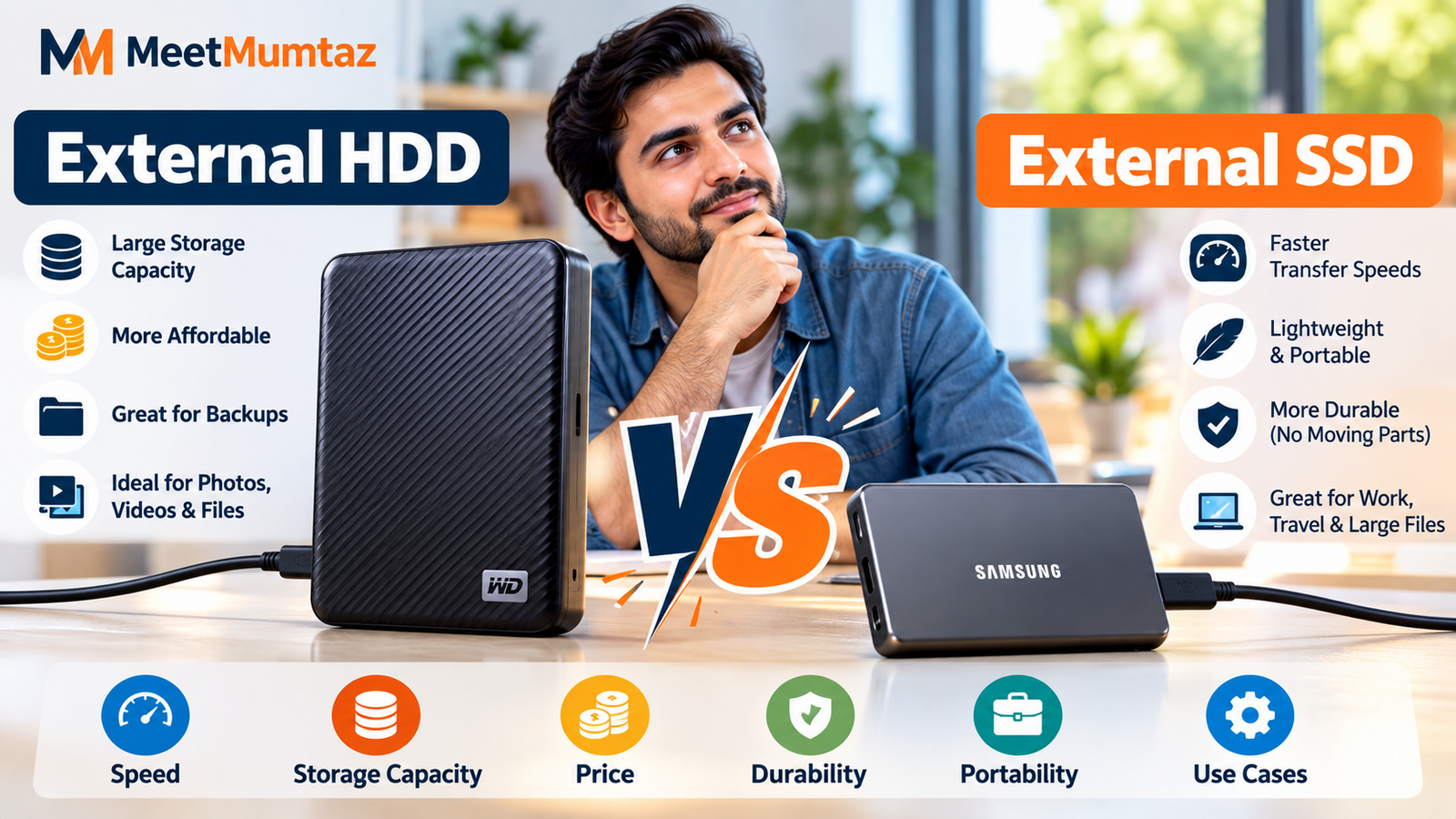
Both can store documents, photos, videos, backups, games, and work files, but they differ significantly in speed, durability, portability, and cost. The right option depends on how you plan to use your storage.
An external hard disk drive uses mechanical components to read and write data. HDD technology has been around for decades and remains popular because it can provide a large amount of storage at a relatively affordable cost.
For users who mainly need a drive for backups, archived photos, videos, documents, or other files that are not constantly transferred, an external HDD can still be a practical choice.
Large-capacity models such as 4TB drives can be especially useful for people who have accumulated years of personal or professional files.
One of the biggest advantages of an HDD is storage capacity for the money. Large HDDs are generally more affordable than SSDs of equivalent capacity.
They are particularly useful for:
The main disadvantage is speed. Because an HDD contains mechanical moving components, file transfers are generally slower than with an SSD.
A solid-state drive stores data using flash memory rather than mechanical moving parts.
This allows SSDs to offer much faster transfer speeds while also being compact and portable. Modern portable SSDs can be particularly useful for professionals who frequently transfer large files between computers and other compatible devices.
Because there are no mechanical moving parts, portable SSDs can also be more suitable for people who regularly carry their storage device while traveling or working in different locations.
The biggest difference most users will notice is speed.
An external HDD can work perfectly well for routine backups and file archives, but an SSD is usually a better fit when files need to be accessed or transferred frequently.
Portability is another consideration. Portable SSDs are often smaller and lighter, making them convenient for laptops and mobile work setups.
Cost, however, can favor HDDs. Users who primarily need maximum storage capacity without requiring high transfer speeds may find a traditional hard drive more economical.
For many users, 4TB provides substantial room for backups and large digital libraries.
A 4TB drive can be useful for photographers, video creators, students, professionals, gamers, and households that need to consolidate files from multiple devices.
However, choosing between a 4TB HDD and SSD depends on more than capacity alone.
If you are comparing both technologies, this guide to 4TB external hard drive and SSD options provides examples of portable HDD and SSD choices and explains their different use cases.
An HDD makes sense when storage capacity and affordability are more important than maximum performance.
For example, someone creating periodic backups of a computer may not need extremely high transfer speeds. The drive may spend most of its time stored safely and only be connected when another backup is required.
An HDD can therefore remain a sensible solution for large archives and secondary storage.
An SSD becomes more attractive when speed and portability matter.
Content creators may regularly move large video files. Photographers may transfer large collections of RAW images. Professionals may carry project files between different workstations.
In these situations, faster storage can save considerable time.
An SSD can also be useful for users who want a smaller device for a laptop bag or travel setup.
Buying a very fast SSD does not automatically guarantee maximum performance.
The computer, cable, port, storage device, and interface all affect real-world transfer speeds. A high-performance SSD connected through a slower interface may operate below its maximum capability.
Before purchasing a drive, check which USB or Thunderbolt standards your computer supports.
This is particularly important when considering premium portable SSDs designed for high-speed connections.
Regardless of whether you choose an HDD or SSD, important information should not exist on only one storage device.
Hardware can fail, devices can be lost, and files can accidentally be deleted.
For important documents, photos, business data, and other irreplaceable files, maintaining additional backups provides much better protection than relying on a single external drive.
There is no single storage technology that is ideal for every situation.
An external HDD remains useful when you need plenty of storage at a lower cost and maximum speed is not essential.
An external SSD is generally better suited to users who prioritize faster transfers, portability, and frequent access to large files.
Instead of choosing based only on capacity, consider how frequently you transfer files, what connections your computer supports, how portable the drive needs to be, and how much you are comfortable spending.
Matching the storage technology to your actual workflow will help you choose a drive that remains useful for years.
ssd External Hard Drive HDD Portable Storage Data Storage External SSD Computer Storage
We are a close community to help to meet and greet new people.
We are a secure community with 5000+ active members who help you with your queries, post new updates and grow your network.

Share this page with your family and friends.