Search in Classifieds
Search in Groups
Search in Polls
Search in Members
Search in Members
Search in News
Search in Polls
Search in Businesses
Search in Contests
Search in Events
Search in Music Albums
Search in Music Songs
Search in Quotes
Search in Site Team
Search in Jobs
Search in Products
Search in Products
By Anika Lawson
4 hours ago
8 minutes, 3 seconds
202 views 0 comments 0 likes 0 reviews
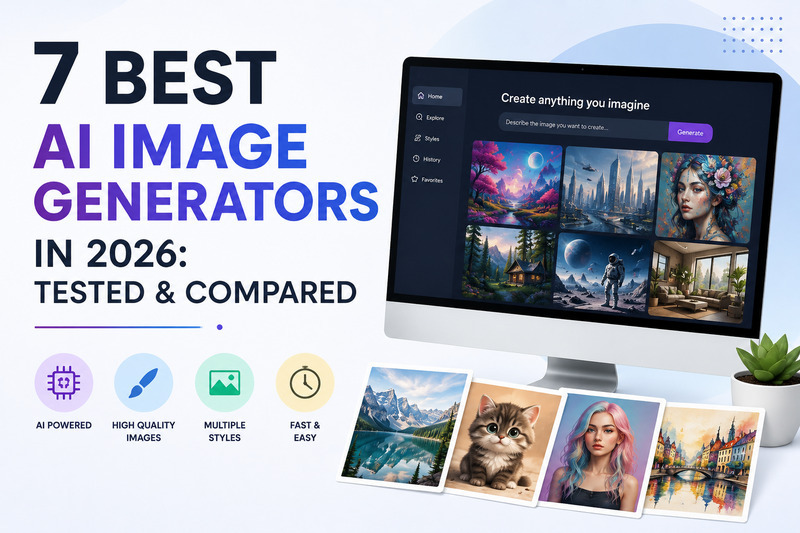
not whether these tools can make a good image, most of them can, but which of the AI image generators actually fits the specific thing you are trying to make. A logo needs something different than a product photo, and a product photo needs something different than a piece of concept art.
I ran the same handful of prompts through seven of the most talked about tools right now, covering a portrait, a product shot, a poster with readable text, and a straightforward vector style logo. Here is what actually stood out, tool by tool.
Midjourney is still the one people reach for when the goal is simply a beautiful image with as little prompting effort as possible. Even a short, loosely written prompt tends to come back looking intentional and polished, which is not true of most competitors. The tradeoff is control. Getting Midjourney to follow a very specific, detailed instruction is harder than with some of the newer tools, and it works through its own web interface rather than a traditional chat style workflow.
Plans start around 10 dollars a month for lighter use, with the more commonly used Standard tier closer to 30 dollars a month for regular generation volume.
Best for: Concept art, mood boards, and anything where visual style matters more than exact layout control.
Firefly's biggest selling point has nothing to do with how the images look and everything to do with what you are legally allowed to do with them afterward. It is trained on licensed content, and Adobe backs it with commercial copyright indemnification, which matters a lot the moment an image is going into an ad campaign, packaging, or anything a legal team might eventually ask questions about.
Image quality is genuinely good, though not always the most striking option on a purely artistic level. It integrates directly into Photoshop, which is a real advantage for anyone already working in Adobe's ecosystem.
Best for: Brands, agencies, and enterprise teams that need commercial safety as much as they need good output.
Flux has moved from a niche, developer focused tool to a genuine top tier option for photorealism, particularly for product photography and human subjects. It generates images fast, often in a few seconds, and it is accessible through an API at a low per-image cost, which makes it attractive for teams building it into their own workflow rather than using a standalone app.
The catch is accessibility. There is no polished first party web app the way Midjourney or DALL-E have. Most people access Flux through a third party platform or a local setup, which adds friction compared to tools built for a general audience.
Best for: Developers, agencies, and teams that want photorealistic output built into their own product or pipeline.
If an image needs readable text inside it, a logo, a poster, a banner ad with an actual headline, Ideogram is the clear standout. Most AI image tools still struggle to spell correctly inside an image, and Ideogram is the one that reliably gets it right. Everything else about it, general image quality and ease of use, is solid without being the best in class on its own.
Best for: Anything where legible text inside the image is a requirement, not a nice to have.
DALL-E's advantage is how it fits into a normal conversation. Instead of learning specific prompt syntax, you can describe what you want in plain language and then refine it the same way, asking for the lighting to change or the background to be simpler. That makes it the easiest entry point for someone who does not want to learn a new tool just to make one image.
It handles complex, multi element prompts well, arguably better than some of the more artistic tools on this list, though the output tends to look a bit more generic than Midjourney's.
Best for: Beginners, and anyone who wants to generate and adjust images through normal conversation rather than prompt engineering.
Leonardo sits in a useful middle ground. It offers a genuinely usable free tier, which is rare among the more polished tools, and its paid plans stay affordable compared to the higher end options on this list. It leans well toward game assets, character art, and stylized illustration, alongside more general use cases.
Best for: Hobbyists, small businesses, and anyone who wants strong output without committing to a premium subscription right away.
Recraft stands apart because it focuses on vector output and brand consistent design systems rather than raster images alone. That makes it a genuinely different tool from the rest of this list, useful for logos, icon sets, and anything meant to be scaled or edited cleanly later rather than treated as a finished flat image.
Best for: Brand and design work where vector files and consistency matter more than photorealistic output.
The mistake most people make is treating these tools as interchangeable, as if the one with the prettiest example image online must be the best overall choice. In practice, the right pick depends entirely on the specific output you need. Midjourney for style, Firefly for legal safety, Flux for photorealistic speed, Ideogram for text, DALL-E for ease of use, Leonardo for budget flexibility, and Recraft for vector and brand work.
None of these tools are universally better than the others, they are just built for different jobs. The fastest way to figure out which one fits your workflow is to run the same real prompt, the one you would actually use for a project, through two or three of them and compare the results directly rather than relying on a single flashy demo image.
We are a close community to help to meet and greet new people.
We are a secure community with 5000+ active members who help you with your queries, post new updates and grow your network.

Share this page with your family and friends.